visualOS vs Milanote · Updated July 2026
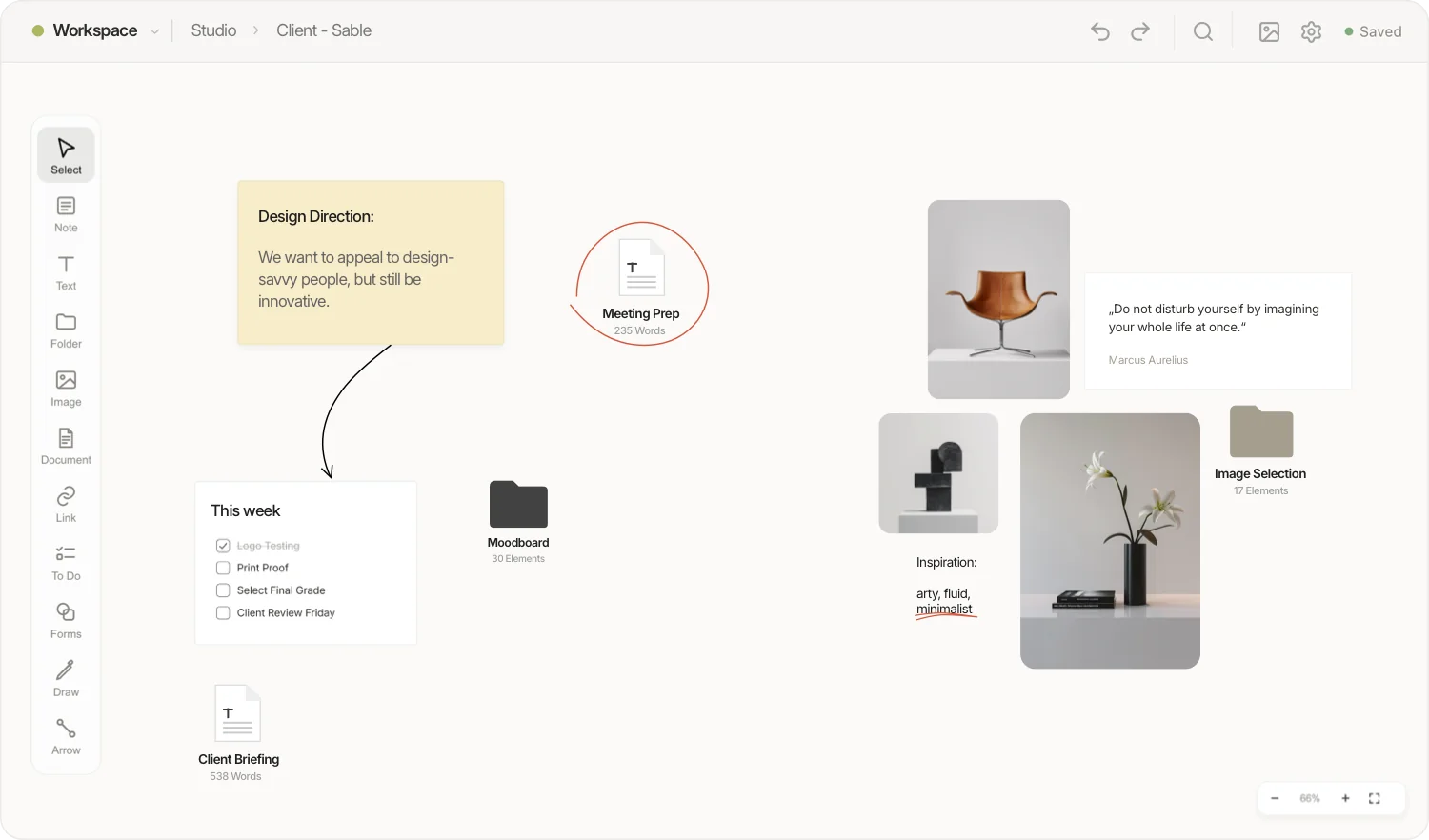
visualOS is a local-first Milanote alternative built for designers, photographers and artists: an infinite canvas that works fully offline, has no note limit, and stores every board as real files in a folder you own — free in your browser, no account required.
Milanote is a polished cloud moodboarding tool — and if you collaborate with clients in real time, it remains a fine choice. visualOS takes the opposite architecture: no server, no account, no note cap. Your boards live as folders, Markdown files and images on your own disk, sync through your own iCloud or Dropbox, work anywhere without a connection, and stay fast with thousands of elements on the canvas.
These aren’t our complaints — they’re the highest-voted requests and most repeated review themes on Milanote’s own public voting board and major review platforms.
“Add/edit content when offline” is the top-voted request on Milanote’s public board. Without a connection, work stops — on flights, trains, or in a studio dead zone.
Source: Milanote voting board ↗Milanote’s free plan caps at 100 notes, images or links combined — reached in roughly one serious moodboard. Unlimited use costs $9.99/month, billed annually.
Source: Milanote plans ↗On the phone, Milanote shows cards as a scrolling list rather than the spatial canvas — reviewers call mobile editing close to unusable for real work.
Source: Product Hunt reviews ↗Where each tool actually stands — including the rows we lose.
| Feature | visualOS | Milanote |
|---|---|---|
| Works fully offline | ✓Local-first — your boards never touch a server | ✗Internet connection required; offline editing is the top-voted open request |
| Free plan | ✓Full app in the browser, unlimited notes and boards | 100 notes, images or links total; 10 file uploads; unlimited from $9.99/month |
| Your data as real files | ✓Boards are folders; documents are Markdown; images are images — on your disk | ✗Stored in Milanote’s cloud; access via export only |
| Works without an account | ✓Yes — open the app and work | ✗Sign-up required |
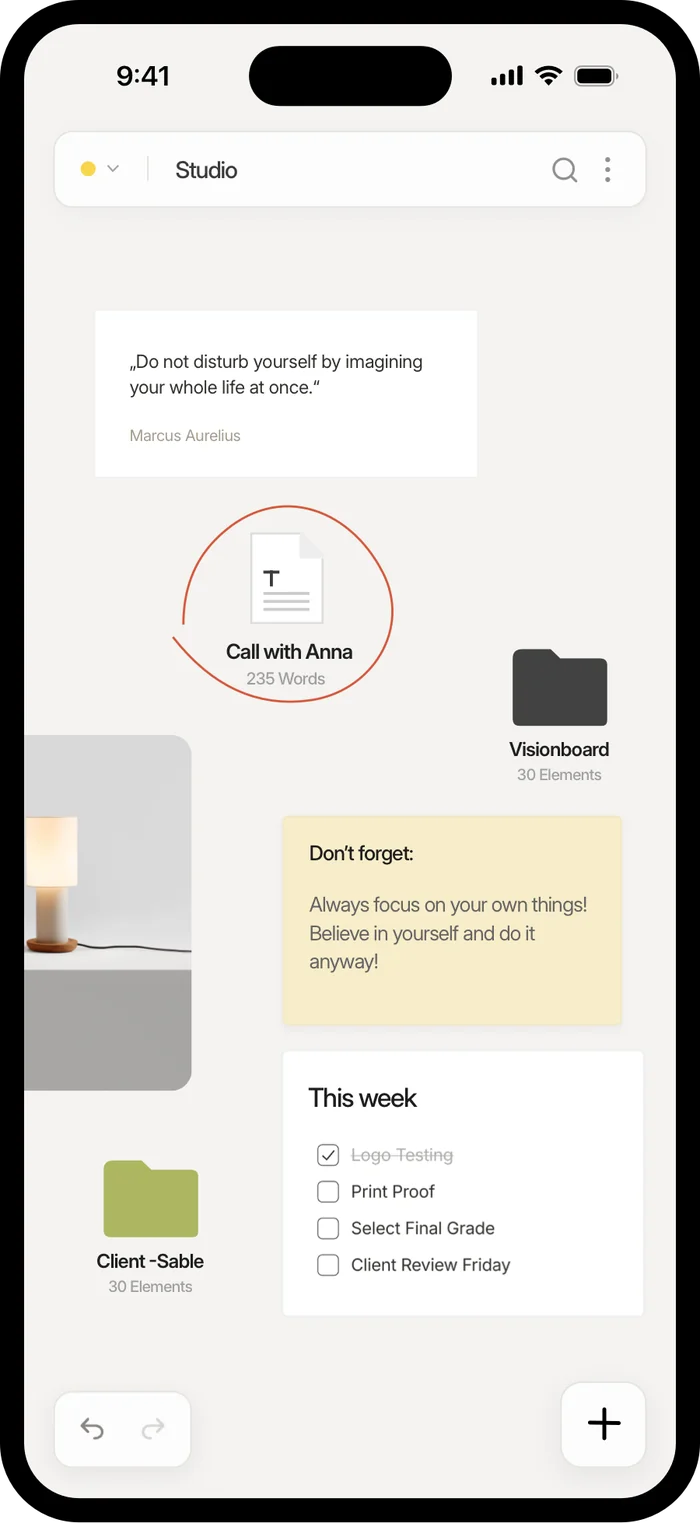
| Mobile experience | ✓Full spatial canvas on iPhone & iPad, offline | Cards shown as a list; canvas editing very limited |
| Performance on large boards | ✓Stays instant with thousands of elements on the board | Reviewers report stutter as boards grow into the hundreds of elements |
| Version history | ✓Automatic rolling versions, one-click restore | ✗Not available |
| Boards inside boards | ✓Infinitely nested | ✓Yes — one of Milanote’s strengths |
| Sync across devices | ✓Through your own cloud folder (iCloud, Dropbox, …) | ✓Through Milanote’s cloud |
| Sharing with clients | Export any view as a crisp 2× PNG and send the file | ✓Live share links, comments and mentions |
| Real-time team collaboration | —Single-user by design | ✓Built for sharing with teams and clients |
| Template library | —Deliberately minimal | ✓Hundreds of templates |
Based on publicly available information and Milanote’s published plans, July 2026. Spotted something outdated? Tell us and we’ll fix it.
The two claims that matter most — the mobile canvas and the files — pictured.
Real-time collaboration. If your workflow is built around sharing boards with clients and editing together, Milanote does this well and visualOS deliberately doesn’t — it’s a single-user tool by design. You can send clients high-res PNG exports of any view, but there are no live links or comments.
Templates and onboarding. Milanote ships hundreds of templates for briefs, storyboards and mood boards. visualOS gives you an empty canvas and gets out of the way — some people love that; some don’t.
The web clipper. Milanote’s browser extension for collecting inspiration is mature. In visualOS you paste or drag images in — simple, but there’s no one-click clipper yet.
No importer, no migration wizard — because there’s no database to migrate into. Three steps and you’re working.
In your browser at my.visualos.app. No account, no setup. Connect a folder on your disk if you want your boards saved as visible files (recommended).
Export images and text from Milanote, then drag everything onto the canvas — images, PDFs and pasted text become elements instantly. Drop files straight into the folder, too.
Place your visualOS folder in iCloud or Dropbox and every device follows along — including the iPhone and iPad app.
Yes. visualOS is free in the browser with no note limit. Milanote’s free plan caps at 100 notes, images or links combined; visualOS has no cap because there is no server to pay for — everything is stored locally on your own device.
Yes, completely. visualOS is local-first: there is no server, so every feature works without an internet connection — on a flight, on the train, anywhere. Offline editing is Milanote’s most-requested feature and is not available there as of July 2026.
There is no automated importer. The practical route: export your images and text from Milanote, then drag them onto a visualOS board — images, PDFs and pasted text become elements immediately. From then on, everything lives as real files in a folder you own.
Yes. The native app for iPhone, iPad and Mac shows the full canvas — not a list view. It works fully offline and syncs through your own iCloud folder. The browser version is free; the native app is a one-time purchase — €12.99/$12.99 at launch (regular price €19.99/$19.99), no subscription, one purchase for iPhone, iPad and Mac. For comparison: unlimited Milanote costs $9.99 every month.
Export any view as a high-resolution 2× PNG and send the file — it looks exactly like your board. There are no live share links or comments; if collaborative client review inside the tool is essential to you, Milanote serves that better.
You do, in the most literal sense: boards are folders on your disk, documents are Markdown files, images are ordinary image files. No account, no cloud database, no export step needed — the files are already yours. Read more on the visualOS homepage.
Choose Milanote if you need real-time collaboration with teammates or clients, a large template library, or its web clipper. visualOS is single-user by design and keeps its feature set deliberately small.
Free in the browser. No account, no card counting, no sync wheel. If it’s not for you, your files are sitting right there in your folder — take them and go.