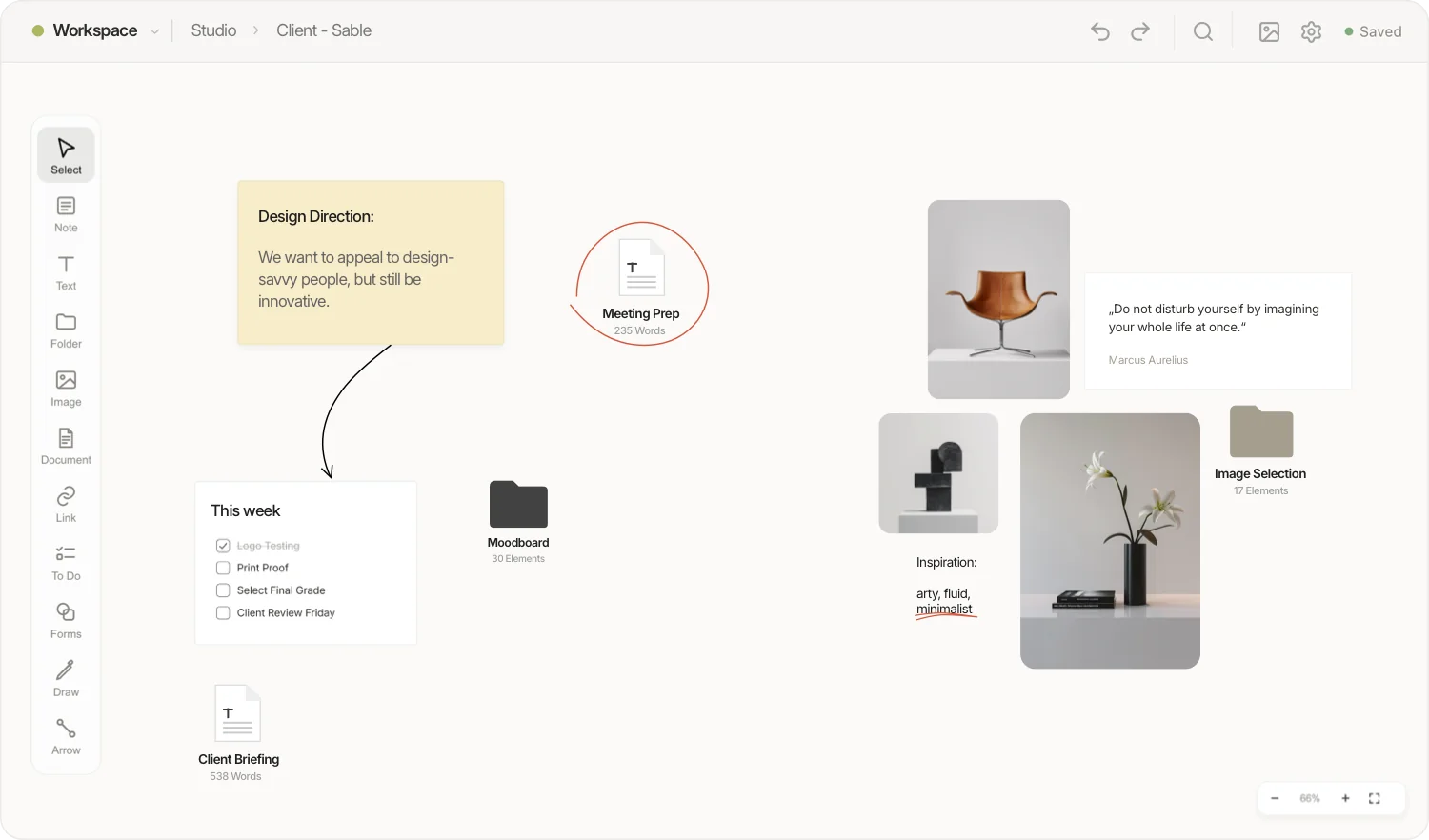
Moodboard maker · Free in your browser
visualOS is an infinite canvas you can use as a free moodboard maker: drag in images, collect colours as named swatches, add notes and a short brief, then export the board as a crisp PNG. It runs in your browser without an account, keeps working offline, and can save every moodboard as real files in a folder you choose.
The whole process takes minutes, and nothing here needs an account or a download.
Go to my.visualos.app. In Chrome, Edge or Brave you can connect a folder, and every board is then saved there as real files. In Safari and Firefox your work stays in the browser; export a backup now and then.
Drag photos from your desktop or a website, several at once, or paste them with Cmd/Ctrl+V. Crop, rotate and resize them on the canvas. JPG, PNG, WebP, SVG and iPhone HEIC photos all work.
Add colour swatches with names and colour codes, so the palette you choose is exactly the palette the client, the printer or your future self gets.
Notes, captions and a Markdown brief sit right next to the images. Put variations into folders: each folder opens into its own board. Group and lock what is settled.
Export the current view as a 2× PNG and send it. The file looks exactly like your board, and the person on the other side needs no account.
A shoot board answers three questions before anyone packs a bag: how should it feel, what should it look like, and what exactly do we need? A structure that works:
visualOS has no template gallery yet. This layout is a good starting point for most moodboards: build it once, then copy it (Cmd/Ctrl+C) and paste it into the next project’s folder.
Open it and work. No sign-up, no trial, no cap on images or boards: there is no server whose storage would need rationing.
visualOS has no server to wait for. Build a board on a plane, in a studio basement or on location; the iPhone and iPad app works the same way.
With a connected folder, every board is a real folder on your disk and every image an ordinary image file. Put the folder in iCloud or Dropbox to sync it.
Also on iPad, with Apple Pencil. The native app for iPhone, iPad and Mac shows the full canvas. Sketch next to your references, draw and hold to turn a stroke into a clean shape, and search your handwriting. One-time purchase, no subscription.
No live collaboration. visualOS is built for one person. To show a board, export it as a PNG; there are no share links or comments.
No AI image generation. visualOS arranges the images you bring. If you want a generator to invent the pictures, this is the wrong tool.
No template gallery or web clipper yet. You start from an empty canvas and paste or drag images in.
Saving to a folder needs Chrome, Edge, Brave or the native app. Safari and Firefox keep your boards in the browser instead.
Yes. The browser app at my.visualos.app is free and complete: no account, no trial, no limit on images or boards. The optional native app for iPhone, iPad and Mac is a one-time purchase — €14.99/$12.99 at launch (regular price €19.99/$19.99), with no subscription.
No. Open the app and start. visualOS has no account system at all.
Yes. visualOS is local-first: there is no server, so the canvas keeps working without an internet connection. Only link previews fetch data from the web.
On your own device. In Chrome, Edge or Brave you can connect a folder: every board then becomes a real folder, images are ordinary image files and documents are Markdown files. In Safari and Firefox, boards stay in the browser’s storage and you can export a backup file.
Export the current view as a high-resolution 2× PNG and send it. There are no share links or comments, because visualOS is built for one person.
Yes, with the native app for iPhone, iPad and Mac. It shows the full canvas, works offline and supports Apple Pencil, including turning a stroke into a clean shape and searching your handwriting.
Images in all common formats (including HEIC photos from an iPhone), colour swatches with names and codes, notes, text, Markdown documents, to-do lists, tables, PDFs, videos, links, shapes, arrows and freehand drawings. Switching from another tool? See visualOS vs Milanote.
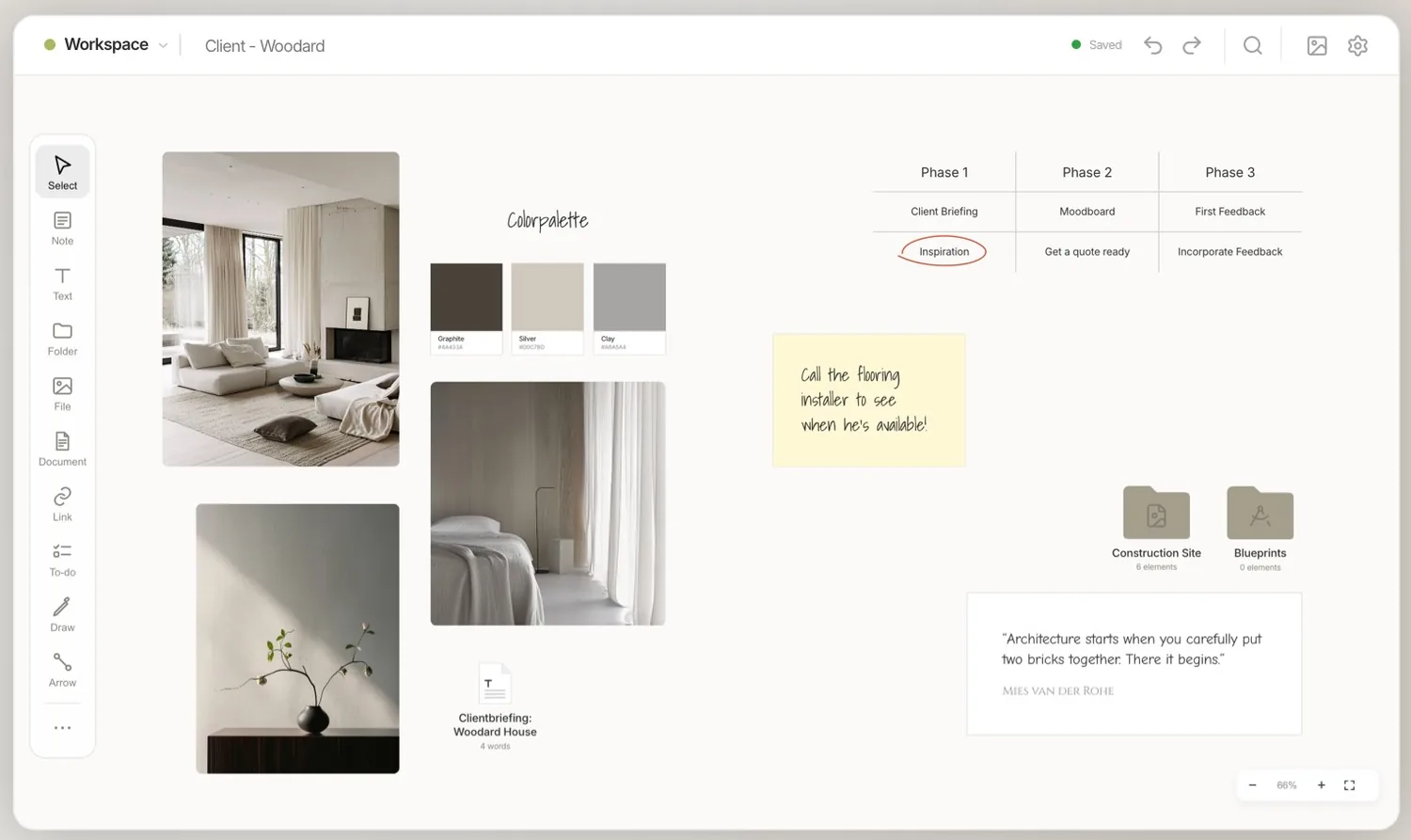
Free in the browser. No account, no limit on images. If visualOS isn’t for you, your images are still sitting in your folder.